


In February 2021, winter—real, honest-to-goodness winter—came to the state of Texas. Temperatures plummeted to the single digits as snow and ice battered the region. I woke up in my Austin home to about 7 inches of snow blanketing my yard. And across the state, gas and electricity winked out, leaving millions freezing in the dark.
We were lucky at my house; our power, while iffy, mostly stayed on. But we still had to boil our water, and the Electric Reliability Council of Texas, the state’s power grid operator, frantically urged those who still had electricity and gas to use as little as possible, lest more of the fragile grid collapse. We’re good little citizens, so we kept our thermostat set as low as was tolerable and used almost no electricity. Every single other person I knew had neither power nor heat.
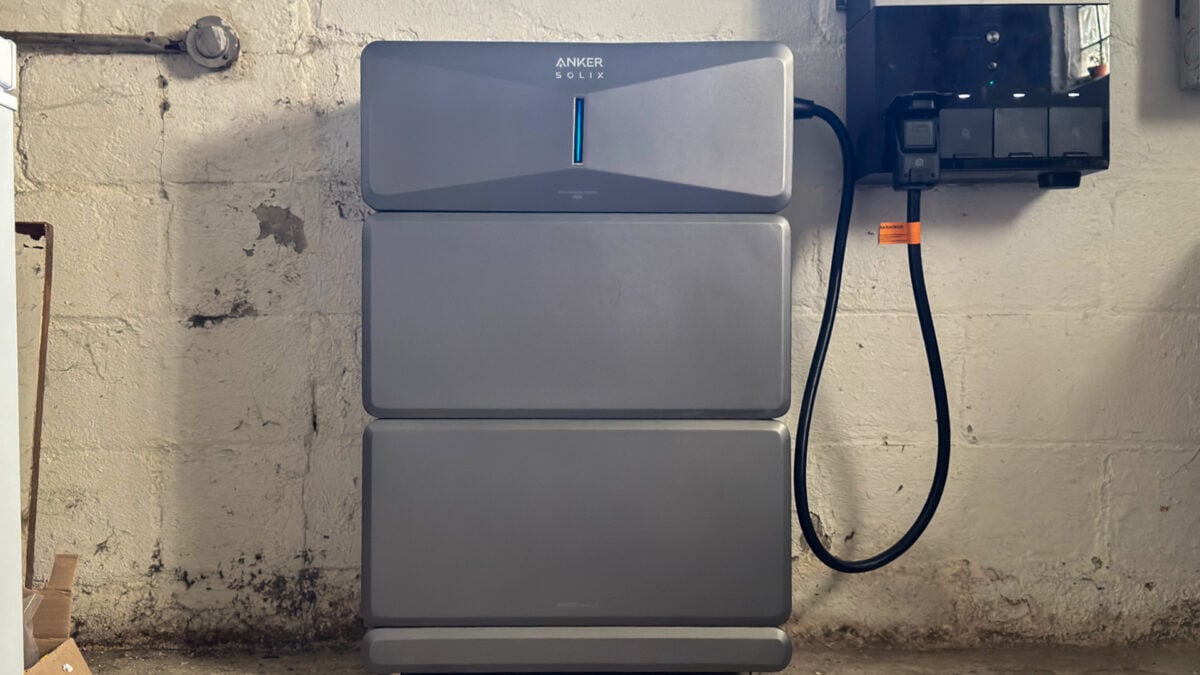
I’ve thought a lot about that time over the last two and a half months as I’ve been testing the Anker Solix E10, a modular, whole-home backup system Anker announced in January. In the last few years, backup battery systems have expanded beyond Tesla’s Powerwalls and lesser-known brands like Enphase to include Anker and EcoFlow. Anker makes some deeply aspirational claims about this system, such as that a fully expanded 90kWh Solix E10 can power your house for 15 days. (As Anker’s own website points out, the average American household uses about 30 kWh per day, so that would take some significant cuts to achieve). I couldn’t explicitly test that claim; my system included just two 6.1kWh Anker B6000 batteries, a Power Dock smart electrical panel that supports up to 200 amps, and the Solix E10 Power Module, which handles power inversion.
The Solix E10 can survive outdoors, but where I live, temperatures can dip below its minimum operating temperature (-4 degrees Fahrenheit) for days at a time, so Anker recommended installing it indoors. I was a little wary of keeping two gigantic batteries in my basement, though the technology the B6000s use—lithium iron phosphate—is generally considered safer than the lithium-ion batteries found in things like smartphones and electric bikes. So far, they haven’t spewed fire and brought my house down with them. Instead, they’ve consistently powered my home for up to 12 hours a day, giving me a glimpse of what it might be like to live off-grid, buffered against power fluctuations in an era of ravenous data centers, increasingly powerful storms, hotter summers, and aging electrical infrastructure.
This is my first time using a home battery backup, and I came away impressed. I didn’t experience a Texas-sized power outage during my review, but there were occasional blips that I wouldn’t have noticed without checking the Solix E10’s outage history in the Anker app because it switched so quickly and ran all my appliances without complaint. I behaved as if I were on grid power throughout the review, and the Solix E10 hummed right along. I had a good experience overall, but some aspects of this system give me pause when recommending it, like the unintuitive, bare-bones app and Anker’s stingy warranty.
Anker Solix E10
A modular, relatively affordable whole-home backup system that has kinks to work out but does its main job very well.
- Unnoticeably switches to backup power
- Modular
- Three recharging options
- ToU modes offer potential savings without solar
- Remote control of individual breakers
- Good circuit prioritization
- Only a 5-year warranty
- Sometimes unintuitive app
- Inaccurate “Earnings” calculation
- App’s usage data needs more detail
Now you’re playing with power
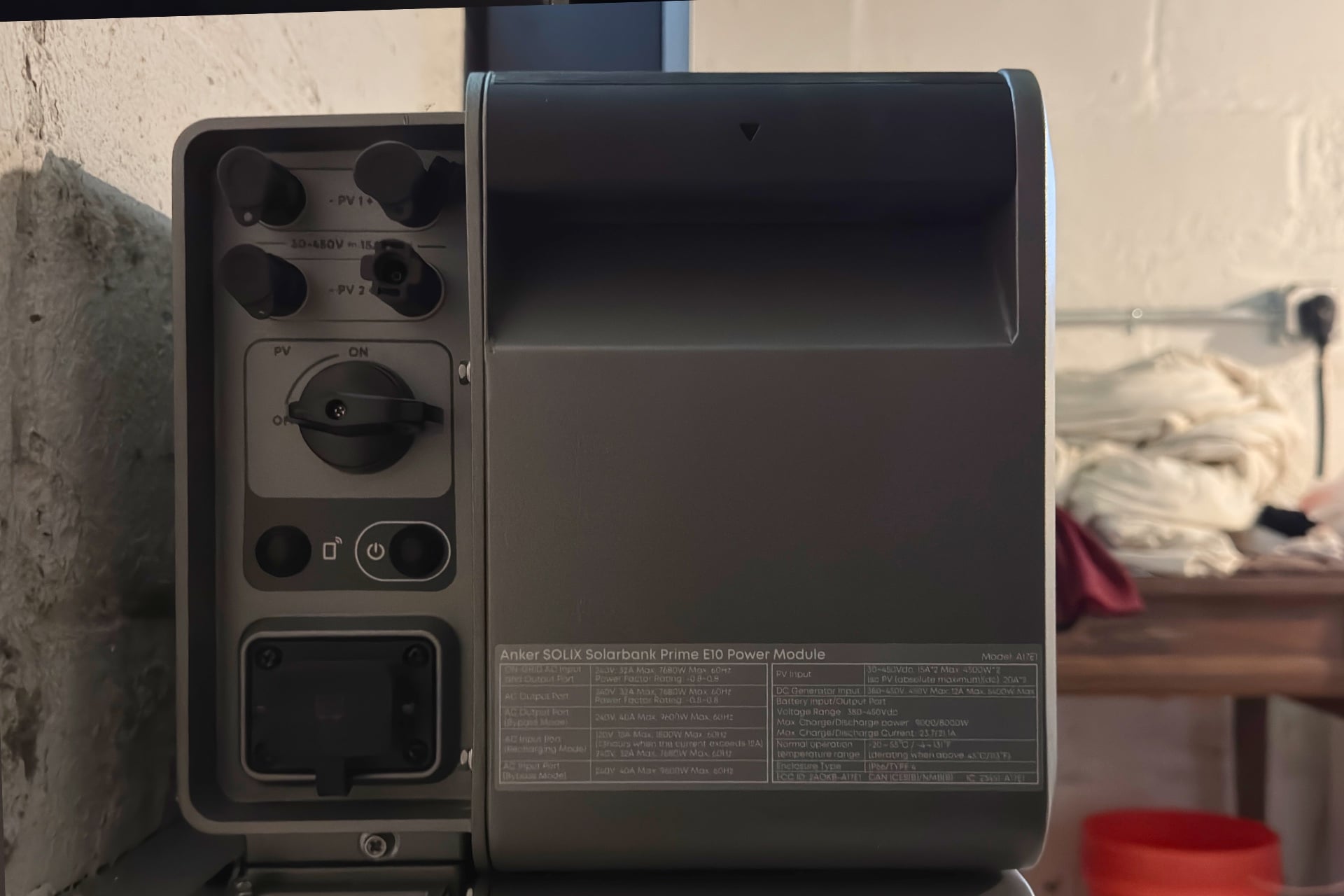
The Solix E10 is highly modular, and each component of the system can be replaced individually. The batteries are stackable and weigh around 60 pounds each; adding a new one to the stack is as easy as removing the Power Module from the top, setting the new battery in its place—there are connections on the upper and undersides of each—then placing the Power Module atop the new one. A single Power Module supports up to five batteries, and you can add up to two more such stacks, reaching the system’s maximum capacity of around 90 kWh. Each of those stacks would be very tall; the Power Module, two-battery system I reviewed was about chest height for me (I’m just under 5 feet, 10 inches tall). A light strip on the front of the Solix E10 itself fills with blue light, showing the batteries’ current charge, which is a nice touch if you’re curious as you walk by it.
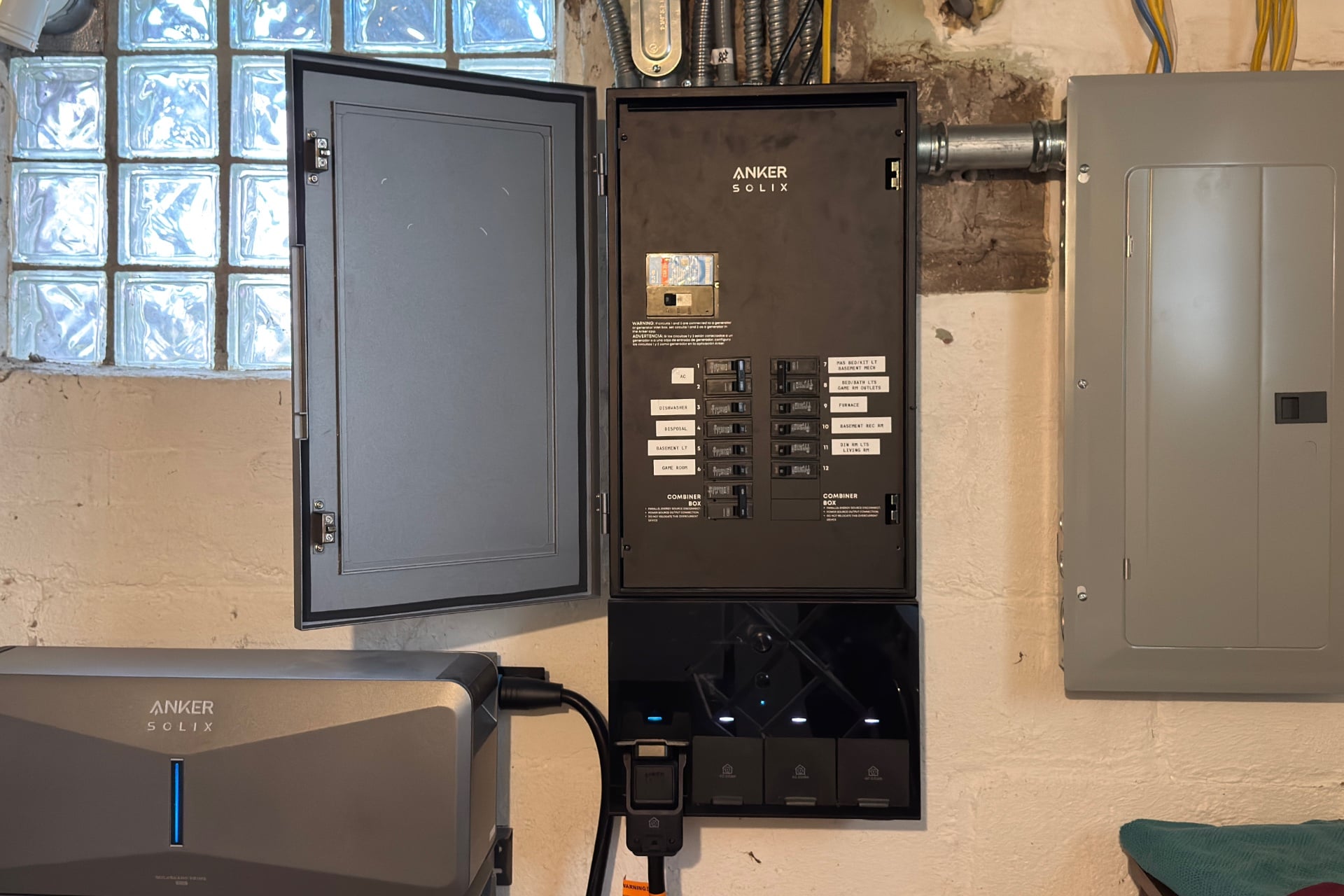
The Power Dock smart panel installed in my home is optional; you can also go with just the Solix E10 module and a battery for simple plug-in backup of specific devices or appliances (if you buy a special Anker $150 power strip), or connect it to your circuit breaker panel through an Anker Smart Inlet Box, which adds a manual home backup switch. One of the benefits of the Power Dock is that you can flip individual circuits on and off and see, in real time, how many watts each is using. That’s nice information to help figure out where you can cut back on your energy usage, but Anker’s panel only supports up to 12 individual circuits, so you’ll want to be picky about which ones your installers wire into that panel and which they put through a connected subpanel. That said, you can also see how much power the subpanel is using overall, which is still helpful.
The 12-slot limit on the Power Dock is a little underwhelming, but it’s actually somewhat generous, at least compared with the similar EcoFlow Smart Gateway panel, which can be purchased with that company’s similar battery backup system and offers only six smart circuit breakers you can operate remotely. I asked Anker what owners should consider if they want to use the Solix E10 with a third-party smart panel, such as the Span panel, which has up to 48 individually controllable breakers. Anker representative Sean Tan told me via email that customers “absolutely must double-check with that specific manufacturer first” because third-party smart panel makers may have strict requirements that could void the panel’s warranty. Span has a short official compatibility list that includes Tesla, EnPhase, and Franklin, but not Anker or EcoFlow.
Using the Anker app
Once the system was installed, I needed to set everything up in the Anker app. At first, that’s like connecting any other Anker app-connected product—you go to the Devices tab and tap the “+” button at the top of the screen, then choose the Solix E10 or, if you have one, the Power Dock from the list of Bluetooth devices. Then, you add it to your Wi-Fi network and do some stuff, such as name circuits, schedule the system to recharge itself and power your home, and specify the conditions under which you’d like it to do those things. I also looked up my electric company’s Time-of-Use, or ToU, rates and entered them into the app, which then calculates and displays “Earnings” on the Solix E10’s main page. (ToU plans offer variable rates at different times and are usually pricier during the day and cheaper at night.) Even if you’re not on a ToU plan, though, you’ll need to configure a ToU schedule if you want the battery to charge and discharge regularly.
Anker’s Solix E10 home screen looks a lot like the Tesla Powerwall app’s, down to an isometric graphic of a house. Lines overlaid on the house use animated blue pulses that crawl from one end to the other to represent where power is moving—if the battery is charging, the pulses course between it and the house, and if you’re drawing power from the battery, they travel only from it to the home.
The Solix E10 home screen also shows you, at a glance, the wattage your home is currently using and the battery’s current charge. When I was only using my computer and a few lights, it could be as low as 300 watts, but the 600-900W range was more typical, thanks to appliances like my refrigerator. The most I saw was over 3kW during brief periods when my central AC unit was on.
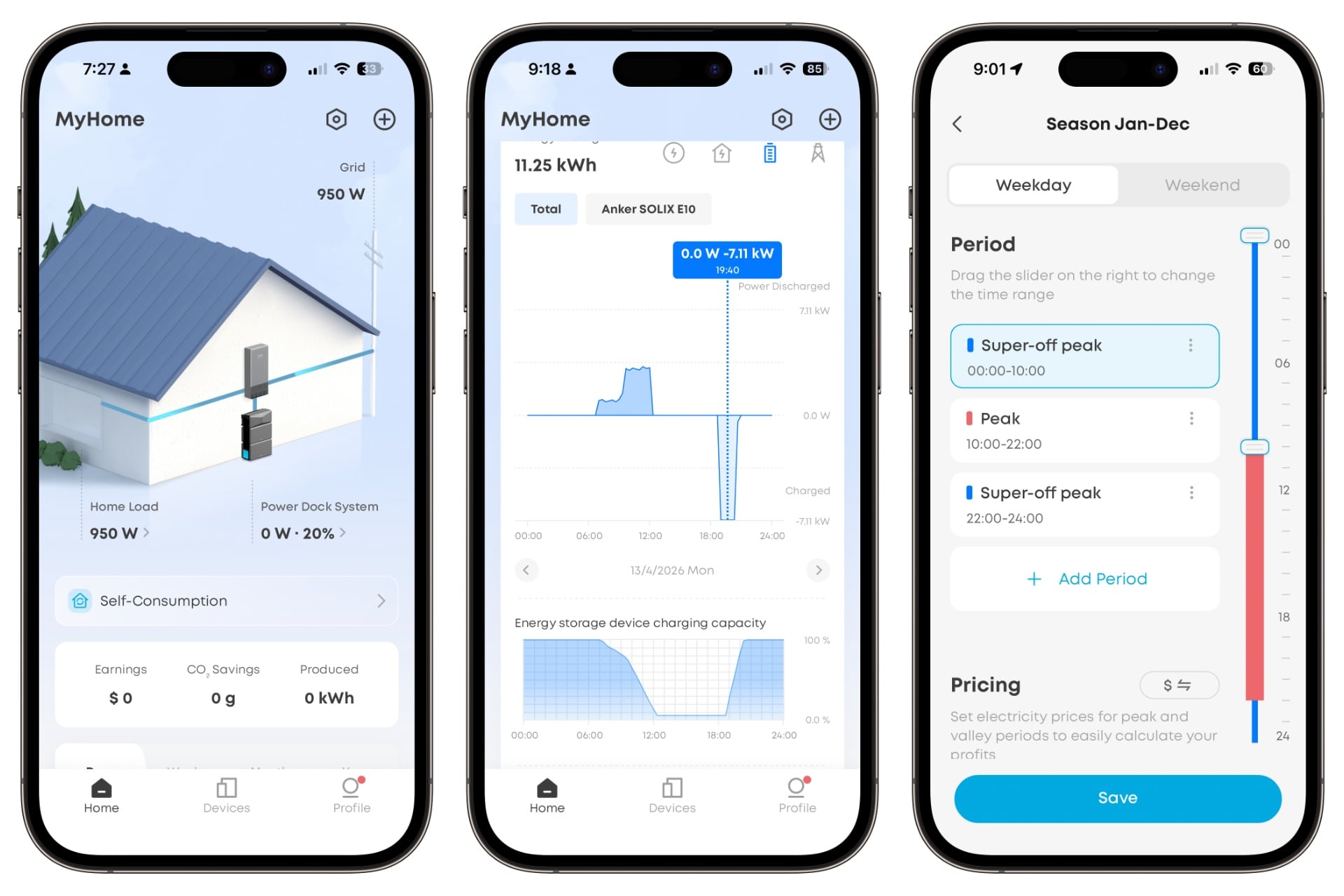
Below that are sections showing you your current “Power Usage Scenario.” Tap it to choose your operating mode. The default is “Self-Consumption Mode,” which prioritizes non-grid sources like Solar or the Solix E10’s batteries, switching to grid power only when solar isn’t sufficient, and the batteries have either depleted or reached their reserve capacity. In Self-Consumption Mode, the batteries won’t charge unless you toggle on “Rapid Charging Mode” further down that screen.
There’s also a “Storm Guard Mode,” in which the Solix E10, based on information from the National Weather Service, automatically charges your batteries from the grid when a major weather event like a thunderstorm is imminent, just in case. Leading up to two storms I experienced during testing, I received push notifications on my iPhone 15 Pro saying Storm Guard had activated, and I saw the batteries charging. When the weather cleared, another notification told me Storm Guard had ended.
Then there’s “Time of Use Mode.” Here, you can schedule the Solix E10 to charge the battery at certain times of day, with scheduling options for weekdays or weekends, but nothing more specific than that—you can’t schedule it to recharge at 10 o’clock on Mondays and 8 o’clock on Tuesdays, for example.
I found this section confusing. You can set up a schedule by adding blocks categorized as “Peak,” “Mid-peak,” “Off-peak,” and “Super-Off peak,” but by default, the app already includes predefined Peak and Off-peak blocks. The rest are hidden behind an “Add Period” button. I didn’t realize they existed until after I set the schedule and noticed the batteries hadn’t charged overnight. That’s because only Super-Off peak actually charges the batteries from the grid; the other two off-peak options only use solar power. I’d love to see an explanation on the main scheduling screen of what the current configuration does, along with a note that there are other options. Better yet, instead of all of these “peak” names, just give me “Off-peak” and let me customize it.
No Power, no problem
You can assign Power Dock circuits priority using categories like “Must have Circuits,” “Nice to have Circuits,” and “Non-priority Circuits.” During an outage, your system will always power the must-haves and not the non-priority selections. It powers nice-to-have circuits until the batteries dip below 50%, then cuts them off until they climb back over 60%, say, from solar power or an attached generator. To ensure I can work comfortably during the day after a power outage, I need to add the furnace and my office outlets (which are, annoyingly, on two separate circuits) to the must-have list.
Two Solix E10 batteries can hold 12.3 kWh worth of energy, or about 6.1 kWh each. I configured them to keep 15% in reserve, leaving about 9.75 kWh to power my house. I configured the system to switch to battery power at 10 a.m. every day and back to grid power at 10 p.m., a 12-hour period that simulated one of the ToU schedules offered by my electric company. The system could handle our usual power demands for at least 10 hours on most days during my April tests. So far in May, it has reached the full 12 hours on almost all testing days before switching back to the grid.
Of course, that’s all with fairly light electrical demand, most of which was coming from a refrigerator, a mini-fridge, a dehumidifier, a dishwasher, and a chest freezer. I was testing robot vacuums for much of that time, too, which had a significant impact. On a rare hot day in April, our central AC also highlighted the limits of a two-battery setup. It only lasted four hours—two at the regular, sub-kW load and two around a steady 3.2 kW. That it had drained so quickly wasn’t surprising, but it made it clear to me that in the summer, a simple two-battery Solix E10 system is better as a power-outage backup than as a ToU-savings generator.
Throughout testing, however, I was most struck by how little I noticed the Solix E10. Anker advertises a sub-20-millisecond switchover, which is fast enough that I didn’t see any evidence—no lights flickering, no fans slowing down, nothing—when the system moved to battery-only power and back to the grid. So I didn’t realize, until much later when I was looking at a backup history feature in the app, that power had randomly gone out for an hour on a nice day during testing. Nor did I notice a 12-minute outage on another day. The app didn’t record that one, maybe because it happened when I was already on battery power. I found out about it when I called my energy company’s customer service line to confirm the outages the app had reported.
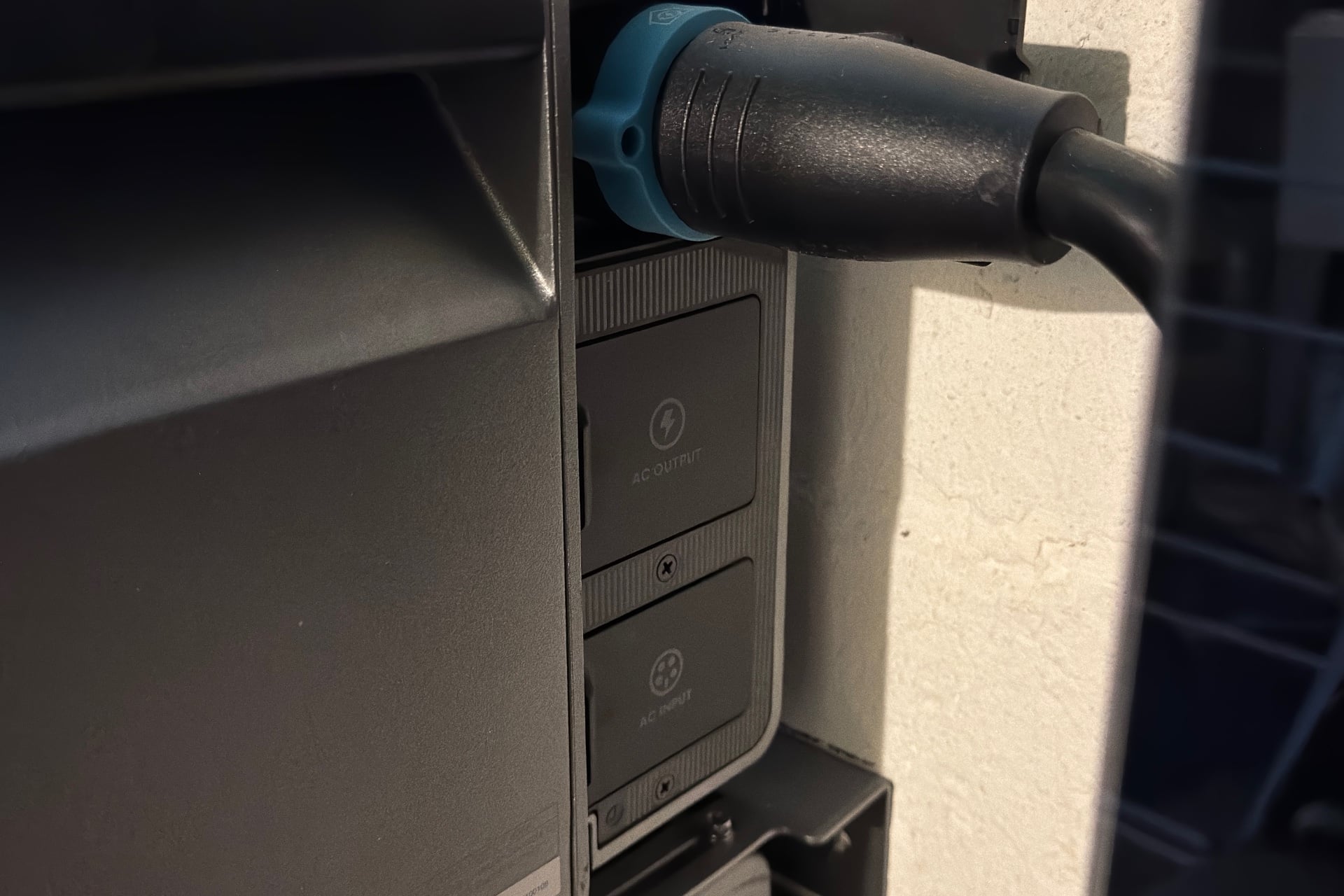
Anker also sent one of its S500 Smart Generators, which can be powered by gasoline, propane, or natural gas. The Solix E10 can automatically activate a connected S500 and recharge the system as needed. I opted not to install this part because it would have required punching a much larger hole through my ancient basement wall than I was comfortable with.
Didn’t save me money, but could have
Using a whole-home battery backup to game your utility company’s ToU schedule is a compelling idea, even without solar power. The idea is that you would configure the Solix E10 to recharge itself at night, when grid power is cheaper, then power your home from those batteries during the day, when it costs more. In my case, that would mean banking power for just 10 cents per kWh overnight, then using that during a period of the day when it would otherwise cost 30 cents per kWh.
I wasn’t willing to actually switch to a ToU rate plan for this review. Partly, that’s because I wanted to evaluate the system before making more changes that could affect me financially. The choice was also about timing: I use an average billing plan that keeps my bill predictable, but I’d have had to pay off the $800 balance to switch to ToU. That’s not something I can casually afford.
I wish it were easy to use data from the Anker app to suss out what I would’ve saved if I had actually switched to a ToU rate. There’s an “Earnings” number on the E10 home screen, which Anker’s Tan told me is derived from a calculation that uses your electricity price, peak and off-peak rates, the solar power you’ve generated, and the amount of battery you’ve discharged. In my case, that number appeared to be counting something as solar energy that it shouldn’t have, given that I don’t have solar panels installed on my home. Tan said that shouldn’t be happening and that the company is looking into it, but either way, the data wouldn’t have been helpful.
What did help a little were graphs showing my grid and battery usage. It was hard to discern precise numbers, but they gave me a solid idea of how long the battery had lasted during my simulated peak hours. By a very rough estimate, I might’ve saved about $75 if I’d been on a ToU plan. I wouldn’t hang my hat on that number, though; it would’ve been a lot easier if the app had broken down my peak hours into time on battery power and time on the grid.
That $75 is real money to me, but all the same, even if the figure is close to accurate, it probably won’t hold up. Sadly, my electric company doesn’t let people jump on and off a ToU plan willy-nilly, and I could easily see those savings being wiped out in the summer when the AC is running a lot more often and murdering the Solix E10’s batteries, especially if we’re barreling towards an extra-crispy “super El Niño” year as climate experts predict. Buying more batteries to add capacity is an option, but at $2,000 per battery and $2,500 for an additional Power Module, the costs can add up quickly, deferring savings for many more years.
At the end of the day, it’s clear that for me, the potential to save a bit of cash while on a ToU plan should not be the sole impetus for buying the Solix E10, or any other home backup battery system without solar power, unless you happen to live somewhere where you rarely, if ever, need AC. Toss in solar power, though, and I could find myself living almost completely independently of the electric grid with no change to my quality of life. That absolutely warrants consideration.
Good, but not a clear winner
The Anker Solix E10’s easy modularity and lower street price than the Tesla Powerwall 3 make it a real contender in the whole-house backup game. The configuration I reviewed costs $11,100, but Anker has discounted it to $7,400. It rises to $9,400 when I price it out with installation, excluding fees that may appear on the final checkout screen. Meanwhile, Tesla’s site quoted me $17,100 before fees and any discounts for the 13.5 kWh Powerwall 3, an all-in-one system whose individual parts you can’t replace when the batteries have aged to the point where you’d want to replace them.
But there are other things to consider. Powerwalls look cleaner and come with a 10-year warranty and a promise that the batteries will retain at least 70% of their capacity by the end of that period. Anker’s warranty is just five years, and the company will only guarantee a 60% capacity retention for its B6000 batteries at the end of that term. That’s not encouraging, although replacing the batteries themselves, assuming Anker continues producing them or at least something compatible with the E10 system, would be a lot easier and cheaper than it would be to do if you had Tesla’s system.
I can’t say which is more worth your while; that depends on your priorities and how much space you actually have to install one. What I can say is that, despite the few issues I had with it, the Solix E10 silently and unnoticeably did its main job: keeping the lights and all of my appliances on when the electrical grid couldn’t hack it.


